| Question / Issue |
 |
| I am having an issue with getting to the TurboStorm login screen or I'm taking a certificate error on the page, what do I do? |
| Answer / Solution |
|
Verify that the URL for the TurboStorm login screen for any shortcut that you have is set to: https://turbostorm.itcratingservices.com.
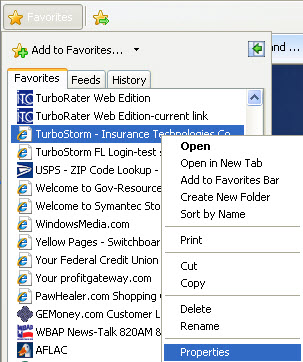
If you have a favorites set in your browser for TurboStorm and you are having an issue with getting to the login screen:
- Go to your favorites list and right click on the description that you have set for TurboStorm.
- Select Properties.
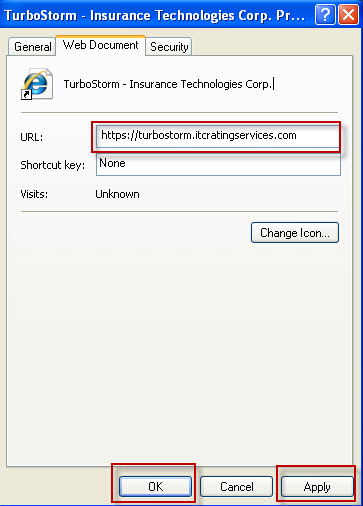
- This will bring up the Properties dialogue box for TurboStorm to the Web Document tab.
- Change the URL entry to: https://turbostorm.itcratingservices.com
- Then click on Apply and OK.
- Retry your favorites link.
|
 FAQ ID # 258

 Add to favorites
 Print this FAQ